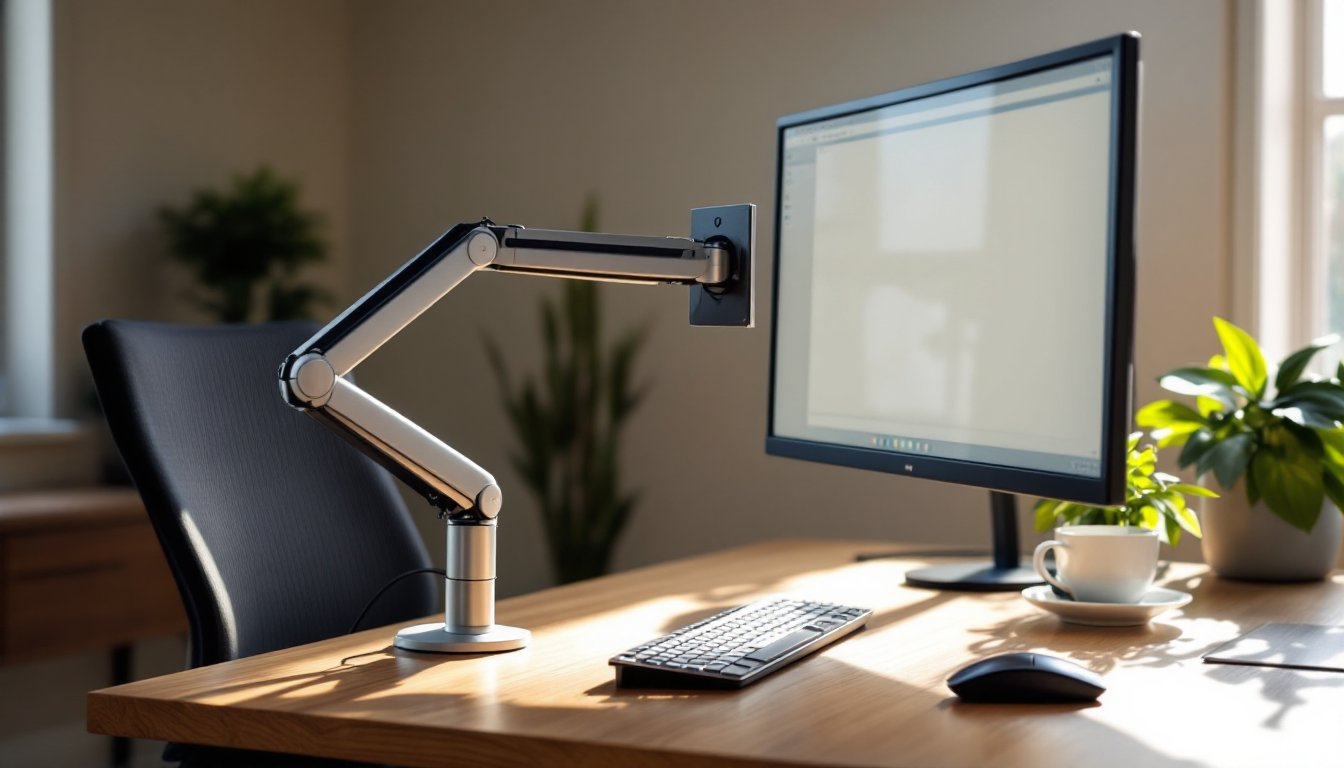

If you’re spending eight-plus hours a day staring at a monitor, your neck and shoulders probably know it. A quality Ergotron monitor arm doesn’t just free up desk space, it’s a practical investment in reducing eye strain, neck pain, and the cumulative toll of poor posture. Unlike a static monitor stand, an Ergotron arm lets you adjust height, tilt, and viewing angle to match your actual body, not the other way around. This guide walks you through the setup, features, and maintenance of an Ergotron monitor arm so you can build a workspace that actually fits how you work.
Table of Contents
ToggleKey Takeaways
- An Ergotron monitor arm reduces eye strain, neck pain, and posture-related fatigue by allowing you to adjust your display to eye level without repositioning your desk or body.
- Proper monitor positioning with an Ergotron arm—20–26 inches away at a 15–20 degree downward gaze—matches your eyes’ natural resting position and improves focus and productivity.
- Most Ergotron monitor arms can be installed in 15–30 minutes using basic tools; ensure your desk is sturdy, the base bracket is secure, and the gas spring is properly balanced before use.
- Choose between single-monitor (LX Series) and dual-monitor (MX Series) Ergotron models based on your monitor weight and workflow; always verify VESA compatibility and weight capacity before purchasing.
- Monthly maintenance—testing gas spring tension, checking cable management, and tightening hardware—keeps your Ergotron monitor arm functioning smoothly for 5–10 years with minimal wear.
What Is An Ergotron Monitor Arm And Why It Matters For Your Home Office
An Ergotron monitor arm is a mechanical articulating mount that holds your display using a spring-loaded or gas-spring system, allowing you to move it vertically, horizontally, and at various angles without repositioning your entire desk. Think of it as a weight-balanced crane for your monitor.
Unlike a fixed monitor stand, an Ergotron arm clamps or bolts to your desk and lets you reposition the screen throughout the day. This matters because most people set up a monitor once and leave it, usually too high, too close, or at a neck-straining angle. Over months or years, that posture problem compounds into genuine discomfort or injury.
The Ergotron brand specifically has built its reputation on precision engineering and durability. Their arms use high-quality springs or gas springs to counterbalance monitor weight, so moving your display requires minimal effort. Whether you’re typing, video conferencing, or comparing two screens side by side, you can adjust without wrestling with stiff mechanisms or tools. For home offices and remote workers, this adaptability translates directly into reduced fatigue and a cleaner, more organized desk.
Key Features And Benefits Of Ergotron Monitor Arms
Height Adjustment And Flexibility
Most Ergotron arms offer a vertical travel range of 10–20 inches, letting you raise or lower your monitor from a seated position without getting up or using tools. This is critical: your monitor should sit at eye level when you’re sitting upright, not tilted up or down. The arm’s gas spring or mechanical spring allows smooth, tool-free adjustments, you push or pull with one hand, and the arm holds its new position.
Beyond vertical movement, quality Ergotron models also pivot, tilt, and rotate. Some allow 90-degree rotation (portrait to landscape), which is useful if you work with spreadsheets or code alongside your main display. The cable management clips that come standard keep USB, power, and display cables tidy and prevent them from snagging when you move the arm.
Health And Productivity Advantages
When your monitor sits at the correct height and distance, your eyes and neck relax. Studies consistently show that proper monitor positioning reduces eye strain, neck tension, and shoulder pain, the classic symptoms of hours hunched toward a screen. Ergotron arms help you position the display 20–26 inches from your eyes, at a slight downward gaze angle (roughly 15–20 degrees below horizontal), which matches the natural resting position of your eyes.
Beyond pain reduction, the improved sightlines boost focus. You’re not constantly adjusting posture or squinting: instead, your workspace adapts to you. And because these arms swing out of the way, you reclaim precious desk real estate. A single Ergotron arm takes up minimal footprint, just a clamp or mounting bracket, freeing space for work surface, a keyboard tray, or a second monitor. Many remote workers and designers report that switching to an Ergotron arm paid for itself within weeks in terms of reduced fatigue and increased output.
Installation And Setup Tips For DIY Success
Installation difficulty depends on your desk type, but most home DIYers can handle it in 15–30 minutes with basic tools.
What You’ll Need:
- Ergotron monitor arm (with manual and mounting hardware)
- Hex key or Allen wrench set (usually included)
- Drill with bits (if installing into wood: some desks use existing clamp points)
- Washer and bolt (if needed: check your desk thickness)
- Monitor VESA mount plate (usually pre-installed on Ergotron arms, but confirm compatibility with your monitor)
- Level
- Tape measure
Installation Steps:
-
Determine mount location. The best spot is directly behind where your monitor will sit, ideally clamped to the back edge of your desk or bolted through a sturdy frame. Avoid thin surfaces, your desk must be solid enough to handle the cantilevered weight. Check your monitor weight: most Ergotron arms handle 3–20 lbs depending on the model.
-
Prepare the desk. If clamping, clean the mounting surface. If bolting through wood, drill a ¾-inch hole (adjust for your bolt diameter) and countersink washer seats if you want a flush fit. Ensure the spot clears your legs and chair movement.
-
Attach the base bracket. Screw or bolt the arm’s base securely: this is non-negotiable. A loose clamp will drift and create safety and posture problems. Tighten hardware with your hex key until snug, don’t overtighten aluminum parts, or you’ll strip them.
-
Mount the monitor. Remove your monitor’s factory stand if present. Align the VESA plate holes on your monitor with the Ergotron arm’s adjustment plate, then thread in the four finger-tightened bolts. Don’t crank them: hand-tight plus a quarter turn is enough.
-
Test balance and adjust tension. Lift the monitor gently: it should float effortlessly. If it dips or rises, the gas spring needs tuning. Most Ergotron arms have a small adjustment valve (usually a dial or screw): clockwise increases tension, counterclockwise decreases it. Aim for slight upward drift, gravity will keep it honest, and you want smooth one-hand control.
-
Route cables and level the display. Use the included clips to bundle monitor cable, USB, and power lines along the arm. Use a level to confirm your monitor sits square (not tilted). Most Ergotron arms include fine-tilt adjustment to dial in a perfect plane.
Safety Note: After installation, give the arm a firm shake. It should not wobble or flex. If it does, stop and recheck clamp or bolt tension. A falling 24-inch monitor is both expensive and dangerous.
Choosing The Right Ergotron Model For Your Desk
Ergotron makes several lines, LX, MX, and HX are among the most common, and picking the right one depends on your monitor count, weight, and budget.
Single-Monitor Arms (LX Series) are entry-level, handling one monitor up to 16 lbs with basic articulation. They’re affordable and ideal for a modest home office. Dual-monitor arms (MX Series) mount two displays in landscape or portrait orientation and handle up to 20 lbs per monitor. If you work with spreadsheets, video editing, or code alongside reference material, a dual arm cuts your head-turning time in half.
When evaluating models, confirm:
- Weight capacity matches or exceeds your monitor’s actual weight (check the spec sheet: many 24-inch monitors weigh 6–10 lbs, 27-inch around 10–14 lbs).
- VESA compatibility (most modern monitors are 100×100 or 75×75 mm: older or budget displays may differ).
- Clamping vs. bolt installation suits your desk (clamps are faster but require edge access: bolts are permanent).
- Cable pathway exists along the arm to keep wires tidy.
According to independent reviews of the best monitor arms available, Ergotron consistently ranks at the top for precision and longevity, though they command a premium. If budget is tight, entry-level Ergotron models compete well against no-name arms: if you can stretch, a mid-range model will outlast cheaper knockoffs by years and move more smoothly.
Maintaining Your Monitor Arm For Long-Term Performance
An Ergotron arm should work smoothly for 5–10 years with minimal care. Regular maintenance prevents wear and keeps movement fluid.
Monthly Checks:
- Test tension and movement. Does the monitor float gently and hold position without drifting? If it sags or springs up unexpectedly, the gas spring is losing pressure, contact Ergotron support or order a replacement spring cartridge.
- Inspect cables for crimps or fraying, especially where they wrap around joints. Reroute if necessary to avoid pinching.
- Tighten all bolts and clamps with your hex key. Desk vibration and constant repositioning loosen hardware over time. A quick check monthly prevents creep.
Seasonal Deep Dive:
- Wipe down the arm and monitor with a microfiber cloth and mild cleaner. Dust buildup doesn’t damage the mechanism, but it looks shabby and can trap moisture in cable connectors.
- Check cable management clips for cracks or looseness: they’re cheap to replace and prevent snagging.
- Verify VESA bolts on the monitor plate haven’t loosened, especially after shipping or travel.
Troubleshooting Common Issues:
If your arm feels stiff or jerky, the gas spring may be wearing out, this is normal after years of daily use. Ergotron sells replacement cartridges (roughly $30–60) that are straightforward to swap. If the arm drifts down slowly even with correct tension, the seal is likely shot: again, a cartridge replacement fixes it. If bolts keep loosening, apply a small drop of removable thread-locking compound (like Loctite blue) to prevent rattle.
Most Ergotron arms come with a limited lifetime warranty, so if something fails outside wear-and-tear, reach out to their support team. They’re responsive and often send replacement parts quickly.